PC
Prioritize a stable camera turn and avoid overcorrecting the mouse after the launcher.
An air combo has four parts: launch, follow, one aerial conversion, and a safe end. Learn those parts separately. The two character routes below are transcribed from creator tutorials and remain demonstrations until they are reproduced in the current build under stated conditions.
Use a starter you can already reproduce.
Do not complete the downslam when the practice goal is height.
Jump or dash while the target is still rising.
Choose one aerial M1 or one known air variant.
Land, take a tested wall route, or reset with one movement option left.
Success target: complete 10 clean launcher-and-follow attempts before adding a character-specific extension.
Do not add the alternative move-one ender until the first route repeats five times.
3× M1 → downslam → walk forward + next hit → [back] move 4 → reset.
Add the backdash and side-dash return only after the target remains visible through the backward variant.
A video's upload date, the game's latest published update, and the build running in your server are different dates or versions. Roblox documents that a running server keeps the place version it started with when a later version is published. Rejoining does not prove that you landed in a newly started server.
That makes a build difference possible; it does not diagnose a particular Strikeborn miss or confirm any specific nerf.
If no build label is exposed, record that limitation rather than inventing a version number. Use the existing performance checks for visible stutter or delayed actions, and keep those symptoms separate from a demonstrated move change.
The archived Yuji and Guts routes retain their historical labels. This note does not certify either route for the current build.
Source: Roblox PlaceVersion documentation. Personal notes can be kept in Practice results.
| Step | Failure | Correction |
|---|---|---|
| Launch | Target stays grounded | Recheck which M1 hit or move creates the launch |
| Follow | Target reaches the peak before you arrive | Move immediately after hit confirmation |
| Camera | Target leaves the center of the screen | Practise the turn without the next skill |
| Variant | The wrong version appears | Hold the required direction earlier or gain more height |
| Extension | Opponent exits the route | Remove the extension and retest the previous link |
| End | You fall or become punishable | Save a dash or choose a shorter ender |
Do not change the whole route before identifying the symptom. Roblox distinguishes graphics stutter from connection-related delays; neither proves that a specific Strikeborn move was changed.
| What you notice | Start here |
|---|---|
| The camera and the whole scene look choppy | Check graphics load. |
| Other players jump between positions or actions finish unusually late | Check the network connection. |
| Movement looks normal but one link repeatedly misses | Isolate that link; do not assume graphics settings will repair its timing. |
Press Esc → Settings, find the graphics section, turn off automatic Graphics Quality, then lower the level. If that does not help, close unwanted resource-heavy applications. Visual quality may decrease; this is a performance adjustment, not a guaranteed combo fix.
Roblox graphics and lag instructions
Where practical, compare Wi-Fi with a wired connection, as Roblox recommends. For persistent connection errors, follow the official connection guide. Keep the exact error, device/OS information, and steps that trigger it for support; do not post account credentials in a public clip.
Compare ordinary movement with the failing link in the same session. Remove later extensions and concentrate on the last transition that worked. Note the character, direction, camera position, and whether the target escaped. A repeated failure is useful evidence, but does not by itself prove a nerf, server fault, or unavoidable combo gap.
Use the practice planner to keep that shortened sequence together. No fixed ping, frame rate, or success-rate target is claimed here.
Prioritize a stable camera turn and avoid overcorrecting the mouse after the launcher.
Move the camera before pressing the next skill when the right-side buttons compete for the same thumb. Prefer a short route.
Begin the right-stick turn before the follow-up ends. Retest whether a variant reads camera-relative or character-relative direction.

Vessel Sorcerer route with on-screen steps
Watch on YouTube ↗
Black Swordsman route with on-screen steps
Watch on YouTube ↗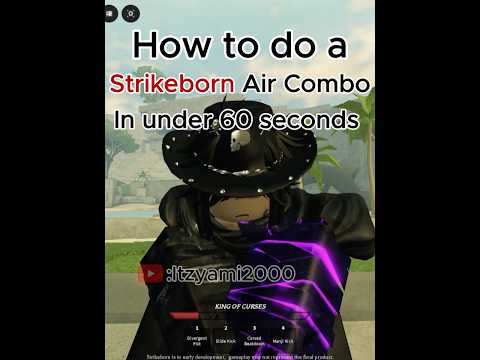
Short air-combo demonstration
Watch on YouTube ↗Use the hit or move that visibly launches the opponent. Do not assume the same M1 count for every character or build without a current capture.
You are completing the grounded string instead of stopping on the launcher.
It is creator-demonstrated and remains unverified as a guaranteed true combo until escape options and current-build timing are tested.
It is part of the recorded tutorial route. A shorter current-build route may be more reliable, so test the backward variant separately.
Launcher → follow → one air action → safe reset.
Supports: General Roblox performance diagnosis and settings.
Limit: Not a Strikeborn benchmark, combo test, or server-health measurement.
Access degree: Full public text
Publication record: Not displayed in the retrieved article
Roblox · Checked 2026-09-11Supports: General connection troubleshooting and support information.
Limit: Not proof that a particular missed attack was a network fault.
Access degree: Full public text
Publication record: Not displayed in the retrieved article
Roblox · Checked 2026-09-11Supports: The distinction between website private servers and developer-reserved servers, and the place-version behavior of a running server.
Limit: Does not establish Strikeborn's current room implementation, build number, move balance, or observed cause of a failed combo.
Readable source: Official source file
Access degree: Public API reference and full official source text; relevant properties inspected.
Publication record: Documentation reviewed September 23, 2026 (PDT); publication or modification date not displayed.
Used on: Early Access; Air Combos.
Roblox Creator Hub / Roblox creator-docs · Checked 2026-09-23Supports: On-screen instructions show a Vessel Sorcerer route involving move two, a side dash, three basic attacks, uppercut, a camera turn, and a follow-up.
Limit: The clip does not prove a guaranteed link, universal device inputs, or current-build timing.
Blzcky · Published 2026-08-27 · Checked 2026-09-02Supports: On-screen instructions show a Black Swordsman route using three basic attacks, downslam, a backward variant of move four, backdash, and side dash.
Limit: Damage, consistency, escape windows, and current-build validity were not independently reproduced.
Kiwipukku · Published 2026-08-27 · Checked 2026-09-02Supports: Short visual demonstration of an air-combo route in the recorded build.
Limit: The clip does not establish official input notation, frame data, or a guaranteed true combo.
Itzyami · Published 2026-08-26 · Checked 2026-09-02